

How to Build a WhatsApp AI Chatbot Without Coding (Complete Beginner's Guide)
Artificial Intelligence has changed the way businesses communicate with customers. Instead of hiring large support teams or replying to every message manually, businesses can now automate conversations using AI powered chatbots that work around the clock.
How to Build a WhatsApp AI Chatbot Without Coding (Complete Beginner's Guide)
Artificial Intelligence has changed the way businesses communicate with customers. Instead of hiring large support teams or replying to every message manually, businesses can now automate conversations using AI powered chatbots that work around the clock.
The best part is that you no longer need programming skills to build one.
Modern no-code platforms make it possible to create intelligent WhatsApp chatbots using visual automation builders, drag-and-drop workflows, and AI assistants that understand natural language.
Whether you run an online store, a service business, an agency, or a startup, an AI chatbot can help you save time, improve customer satisfaction, and generate more qualified leads.
In this guide, you'll learn how to build a WhatsApp AI chatbot without writing a single line of code.
What Is a WhatsApp AI Chatbot?
A WhatsApp AI chatbot is an intelligent virtual assistant that automatically communicates with customers through WhatsApp.
Unlike traditional chatbots that only respond to predefined keywords, AI chatbots understand natural language, remember conversation context, and generate intelligent responses.
For example, customers can ask questions like:
Do you offer free shipping?
Can I book a demo?
Which pricing plan is best for my business?
What are your support hours?
How do I integrate WhatsApp API?
The chatbot can understand these questions and provide helpful responses instantly.
Why Businesses Are Using AI Chatbots
Customer expectations continue to increase.
People expect businesses to respond within minutes, regardless of the time of day.
Unfortunately, maintaining a 24/7 support team is expensive.
An AI chatbot helps solve this challenge by:
Answering common questions instantly
Capturing leads automatically
Reducing support workload
Qualifying prospects
Booking appointments
Routing conversations to human agents
Collecting customer information
The result is faster customer support with lower operational costs.
Step 1: Connect Your WhatsApp Business Account
The first step is connecting your WhatsApp Business account to an automation platform.
This creates a secure communication channel between your business and your customers.
Once connected, incoming WhatsApp messages can trigger automated workflows without any manual intervention.
Step 2: Define Your Chatbot's Purpose
Before building your chatbot, identify what you want it to accomplish.
Common objectives include:
Customer support
Sales inquiries
Product recommendations
Appointment booking
Order tracking
Lead qualification
FAQ automation
A focused chatbot generally delivers a better customer experience than one trying to handle every possible scenario.
Step 3: Build Visual Automation Flows
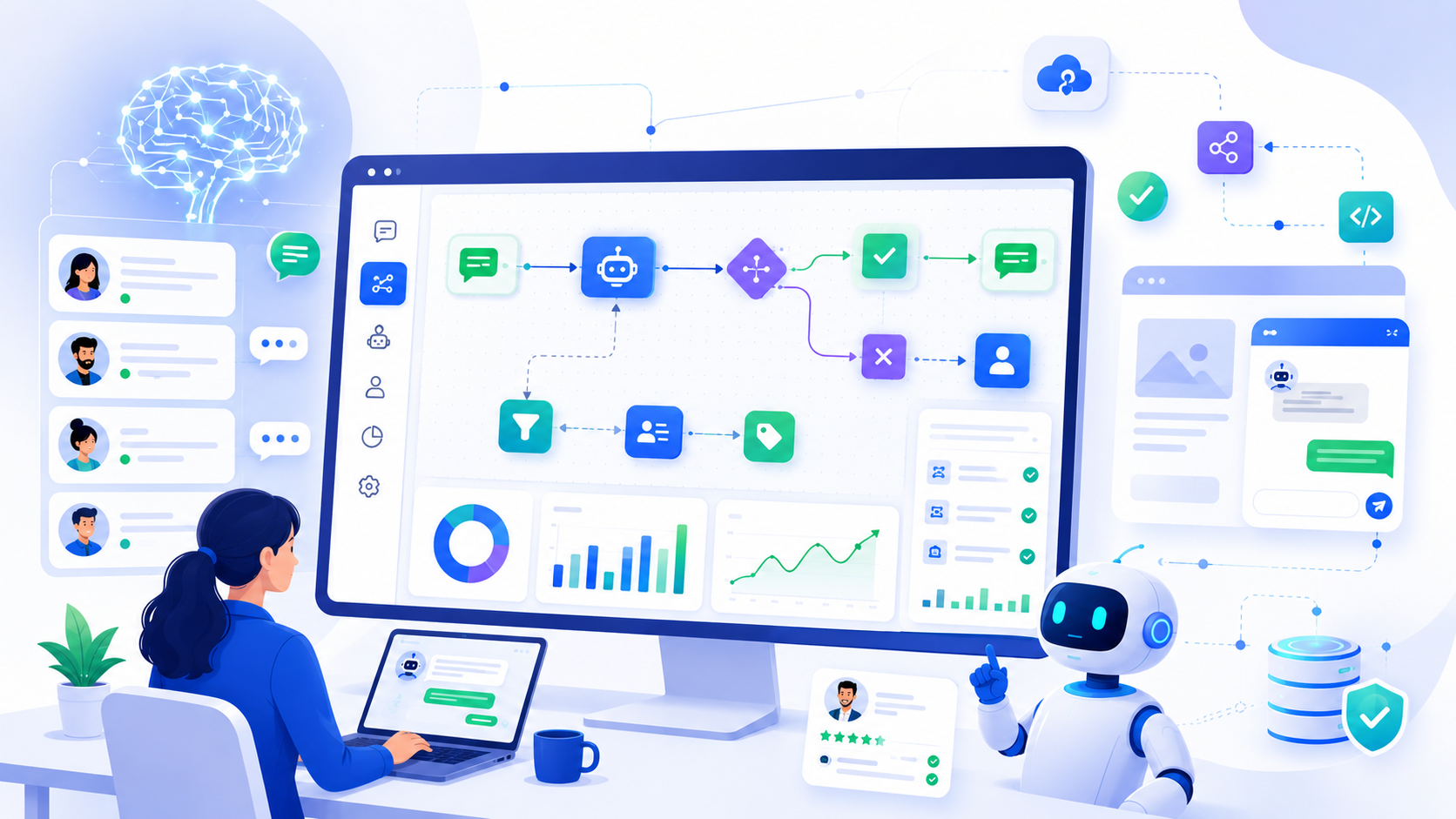
One of the biggest advantages of modern chatbot platforms is the visual workflow builder.
Instead of writing code, you simply drag and connect automation blocks.
A typical workflow might look like this:
Customer sends a message →
AI analyzes the question →
Provide an answer →
If confidence is low, transfer the conversation to a human agent →
Send a follow-up message after the issue is resolved.
Visual builders make it easy to update workflows as your business grows.
Step 4: Train Your AI Assistant
Your chatbot becomes more useful when it understands your business.
Provide information such as:
Product catalog
Pricing
Company policies
Frequently asked questions
Refund policy
Shipping details
Knowledge base articles
The more relevant information you provide, the better your AI assistant can answer customer questions.
Step 5: Automate Lead Qualification
Not every visitor is ready to buy immediately.
Instead of asking your sales team to qualify every lead manually, AI can do it automatically.
Your chatbot can ask questions like:
What product are you interested in?
How many employees does your business have?
What's your monthly budget?
When are you planning to purchase?
Based on the answers, high-quality leads can be routed directly to your sales team.
Step 6: Add Human Handoff
AI is excellent at handling repetitive conversations.
However, some situations require human expertise.
Your chatbot should always allow customers to speak with a real person when necessary.
A seamless handoff improves customer satisfaction while maintaining efficiency.
Step 7: Monitor Performance
Launching your chatbot is only the beginning.
Successful businesses continuously monitor key metrics, including:
Number of conversations
Average response time
AI resolution rate
Lead conversion rate
Customer satisfaction
Escalation percentage
These insights help you identify opportunities to improve your chatbot over time.
Common Mistakes to Avoid
Many businesses make avoidable mistakes when deploying their first chatbot.
Avoid these common issues:
Trying to Automate Everything
Not every conversation should be handled by AI.
Customers should always have the option to reach a human agent.
Giving Generic Responses
Personalized conversations build trust.
Use customer names and relevant information whenever possible.
Ignoring Analytics
Review chatbot performance regularly to improve response quality and customer satisfaction.
Using Outdated Information
An AI chatbot is only as accurate as the information it receives.
Update your knowledge base whenever products, pricing, or policies change.
Benefits of No-Code AI Chatbots
No-code chatbot platforms provide several advantages:
Faster deployment
Lower development costs
Easy maintenance
Visual workflow editing
Better scalability
Improved customer support
Increased productivity
Businesses can launch sophisticated automation within hours instead of weeks.
How ChatiWa Makes It Easy
ChatiWa provides everything businesses need to build an intelligent WhatsApp chatbot without coding.
Using ChatiWa, you can:
Connect your WhatsApp Business account
Build automation using a visual drag-and-drop flow builder
Deploy an AI assistant trained on your business knowledge
Automate customer support 24/7
Qualify leads automatically
Transfer conversations to live agents
Add a website chat widget
Launch broadcast campaigns
Manage contacts from a centralized dashboard
Monitor chatbot performance through analytics
Whether you're a startup or a growing business, ChatiWa helps you automate customer communication while maintaining a personal experience.
Final Thoughts
Building a WhatsApp AI chatbot no longer requires programming knowledge or expensive development teams.
With modern no-code platforms, businesses of every size can automate customer support, qualify leads, and provide instant assistance through intelligent AI conversations.
The key is to start with a clear goal, build simple workflows, continuously improve your chatbot, and combine AI automation with human support when needed.
Businesses that embrace AI today are positioning themselves for faster growth, happier customers, and more efficient operations in the years ahead.