

How to Send Bulk WhatsApp Messages Without Getting Blocked (2026 Guide)
Learn how to send bulk WhatsApp messages safely using the WhatsApp Business API. Discover best practices, Meta policies, message templates, customer opt-ins, and how to run successful WhatsApp marketing campaigns without risking your number.
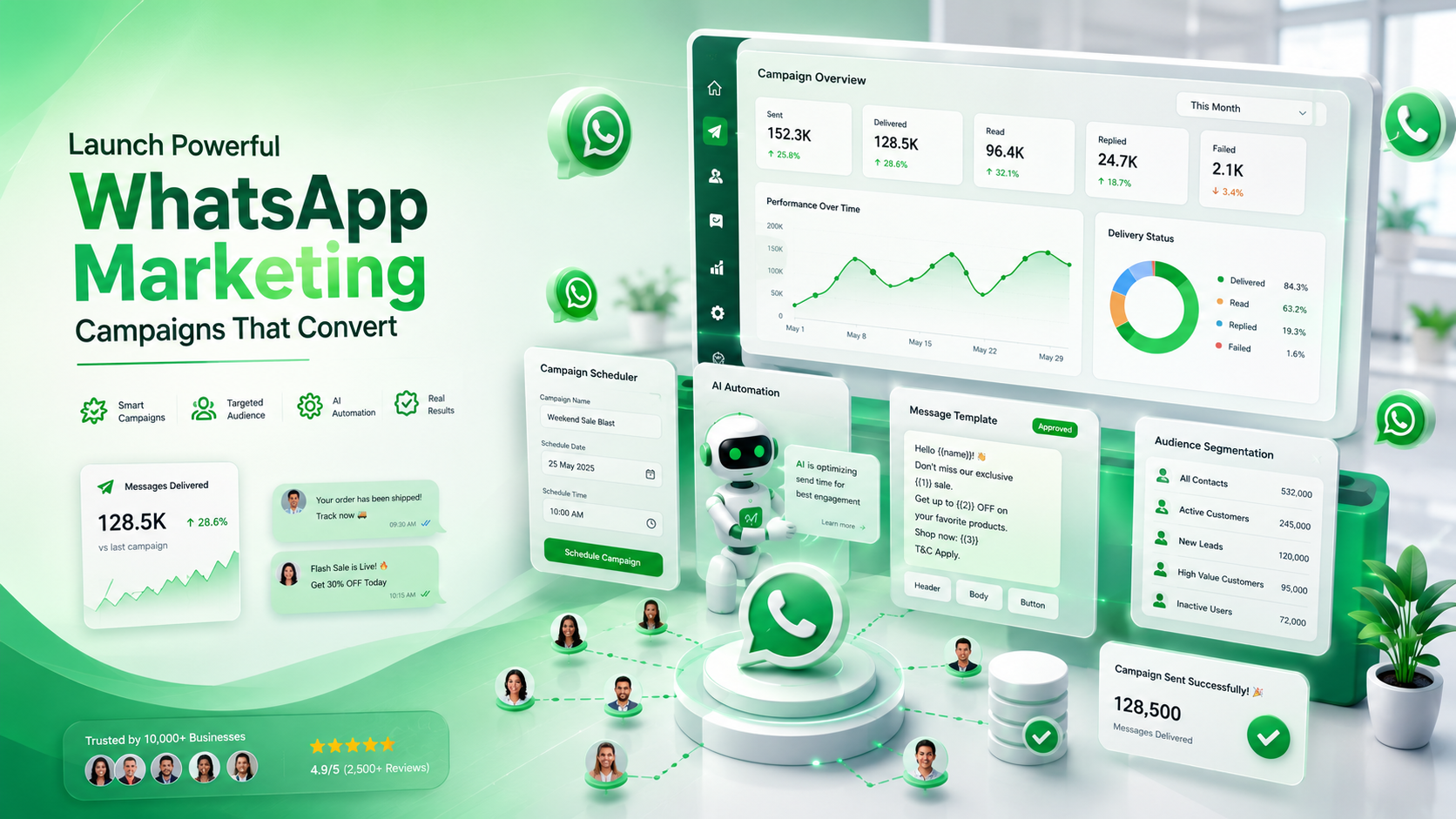
How to Send Bulk WhatsApp Messages Without Getting Blocked (2026 Guide)
Email marketing isn't as effective as it once was. Promotional emails often land in spam folders, and many customers never even open them. SMS marketing has its own challenges, including high costs and limited message lengths.
WhatsApp has changed the way businesses communicate with customers. With billions of active users worldwide, it offers one of the highest engagement rates among digital communication channels. Customers are far more likely to open and read a WhatsApp message than an email.
However, many businesses make the mistake of sending bulk messages using unofficial tools or modified apps. These shortcuts often result in account restrictions, poor delivery rates, or permanent bans.
In this guide, you'll learn how to send bulk WhatsApp messages safely using the official WhatsApp Business API, avoid common mistakes, and build campaigns that customers actually engage with.
What Are Bulk WhatsApp Messages?
Bulk WhatsApp messaging refers to sending the same message to multiple customers simultaneously.
Businesses commonly use bulk messaging for:
Product launches
Seasonal promotions
Flash sales
Coupon codes
Appointment reminders
Event invitations
Payment reminders
Shipping updates
Customer feedback requests
Unlike spam, legitimate bulk messaging is permission-based. Customers should have agreed to receive messages from your business before you contact them.
Can You Send Bulk Messages Using the WhatsApp Business App?
The standard WhatsApp Business App includes Broadcast Lists, but it has significant limitations.
For example:
Customers must save your phone number.
Limited scalability.
No analytics.
No automation.
No team collaboration.
No AI features.
No CRM integrations.
If you're sending messages to hundreds or thousands of customers, the WhatsApp Business API is the recommended solution.
Why Businesses Choose the WhatsApp Business API
The API is designed for businesses that need to communicate with customers at scale.
Using ChatiWa, you can:
Schedule campaigns.
Import contacts from CSV.
Organize customers into groups.
Track delivery rates.
Monitor read rates.
View campaign analytics.
Automate follow-up messages.
Use approved message templates.
Personalize messages with customer information.
Instead of manually managing conversations, everything happens from a single dashboard.
Suggested Screenshot
Campaign Dashboard
Alt:
ChatiWa campaign management dashboard showing WhatsApp marketing statistics.
Step 1: Collect Customer Opt-Ins
Before sending any promotional messages, customers must agree to receive communication from your business.
Examples include:
Website forms
Checkout pages
Mobile apps
Lead generation forms
QR codes
In-store sign-ups
A clear opt-in improves engagement and keeps your account compliant with Meta's policies.
Step 2: Organize Your Contacts
Sending the same message to everyone is rarely effective.
Instead, segment your audience based on:
Purchase history
Interests
Location
Customer type
Previous interactions
With ChatiWa Contacts and Groups, you can organize customers into targeted audiences for better campaign performance.
Suggested Screenshot
Contacts Page
Alt:
Customer segmentation and contact management inside ChatiWa.
Step 3: Use Approved Message Templates
Marketing messages require approved WhatsApp templates.
Templates help Meta ensure that businesses send high-quality, permission-based communication.
Examples include:
New product announcements
Discount offers
Limited-time promotions
Festival greetings
Event reminders
Inside ChatiWa, templates can be synchronized directly from your WhatsApp Business account, making campaign creation simple.
Suggested Screenshot
Templates Screen
Alt:
Approved WhatsApp message templates in ChatiWa.
Step 4: Personalize Every Message
Generic messages often perform poorly.
Instead of:
Huge sale today!
Try:
Hi {{First Name}}, enjoy 20% off your next purchase this weekend using code SAVE20.
Personalized messages feel more relevant and typically achieve higher engagement.
Variables such as customer name, order number, or appointment date can make every message unique.
Step 5: Schedule Your Campaign
Timing matters.
Businesses often achieve better engagement by scheduling campaigns during business hours when customers are more likely to check their phones.
With ChatiWa Campaign Scheduling, you can prepare campaigns in advance and automatically send them at the selected date and time.
This is especially useful for:
Holiday campaigns
Product launches
Flash sales
Birthday offers
Appointment reminders
Step 6: Monitor Performance
Launching a campaign is only the beginning.
Successful businesses continuously measure:
Messages sent
Delivery rate
Read rate
Reply rate
Failed messages
Customer responses
These metrics help identify which campaigns perform best and where improvements are needed.
Suggested Screenshot
Analytics Dashboard
Alt:
WhatsApp campaign analytics showing delivery, read, and reply rates.
Common Mistakes That Get Businesses Blocked
Many account restrictions occur because businesses ignore Meta's policies.
Avoid these common mistakes:
Buying Contact Lists
Never send messages to people who haven't opted in.
Using Unofficial Bulk Sender Software
Modified apps and unofficial automation tools violate WhatsApp's Terms of Service and may permanently ban your number.
Sending Too Many Messages Too Quickly
Gradually increase campaign volume as your messaging history and quality improve.
Ignoring Customer Preferences
Always provide customers with a way to stop receiving promotional messages.
Sending Irrelevant Content
Customers who frequently report or block your messages can negatively affect your account quality.
Best Practices for Successful Campaigns
Successful WhatsApp marketers focus on providing value rather than constantly selling.
Some proven strategies include:
Share useful tips.
Offer exclusive discounts.
Announce new products.
Send personalized recommendations.
Follow up after purchases.
Request customer feedback.
Celebrate birthdays and anniversaries.
Customers are far more likely to engage when messages feel helpful rather than intrusive.
Automating Your Campaigns
Bulk messaging becomes even more powerful when combined with automation.
For example:
Customer places an order.
↓
Automatically send confirmation.
↓
Two days later, send shipping update.
↓
After delivery, request a review.
↓
Offer a discount for the next purchase.
With ChatiWa's Automation Builder, these workflows can be created visually using drag-and-drop nodes without writing code.
Suggested Screenshot
Automation Flow Builder
Alt:
Drag-and-drop WhatsApp marketing automation workflow inside ChatiWa.
Frequently Asked Questions
Is sending bulk WhatsApp messages legal?
Yes, provided customers have opted in and you comply with Meta's messaging policies.
Can I send bulk messages using my personal WhatsApp?
No. Personal WhatsApp accounts are not intended for marketing campaigns.
How many customers can I message?
The limit depends on your WhatsApp Business account's messaging tier and account quality.
Do I need coding knowledge?
No. Platforms like ChatiWa provide campaign management, automation, templates, analytics, and contact management through an easy-to-use interface.
Can I schedule campaigns?
Yes. ChatiWa allows businesses to schedule campaigns for future delivery.
Conclusion
Bulk WhatsApp messaging is one of the most effective ways to engage customers when done correctly. The key is to focus on permission-based communication, relevant content, approved message templates, and consistent optimization.
Instead of relying on risky unofficial tools, businesses should use the official WhatsApp Business API through a trusted platform like ChatiWa.
With features including contact management, customer segmentation, approved templates, campaign scheduling, analytics, automation workflows, and AI-powered messaging, ChatiWa provides everything needed to run professional WhatsApp marketing campaigns while staying compliant with Meta's policies.
Whether you're sending updates to hundreds of customers or launching campaigns to thousands, using the right tools and following best practices will help you maximize engagement while protecting your WhatsApp Business account.