
WhatsApp Message Templates Explained: Complete Guide for Businesses (2026)
Learn everything about WhatsApp Message Templates, including template categories, variables, approval process, interactive buttons, common rejection reasons, best practices, and how to manage templates using ChatiWa.
WhatsApp Message Templates Explained: Complete Guide for Businesses (2026)
If you're planning to use the WhatsApp Business API for marketing, customer support, order updates, or authentication messages, one concept you'll encounter almost immediately is WhatsApp Message Templates.
Many businesses are surprised when they learn they can't simply send promotional or notification messages whenever they want. Unlike email or SMS, WhatsApp prioritizes user experience and requires businesses to use pre-approved templates when initiating conversations outside the customer service window.
While this might seem restrictive at first, message templates actually help improve message quality, reduce spam, and increase customer trust. They also give businesses access to rich messaging features such as media attachments, quick reply buttons, call-to-action buttons, and dynamic personalization.
In this guide, you'll learn everything you need to know about WhatsApp Message Templates, including how they work, the different categories, approval requirements, common rejection reasons, and how platforms like ChatiWa simplify template management.
What Are WhatsApp Message Templates?
A WhatsApp Message Template is a pre-approved message that businesses use to start conversations with customers or continue communication after the customer service window has expired.
Unlike free-form messages, templates must be reviewed and approved before they can be sent.
Templates ensure businesses send relevant, high-quality communication instead of unsolicited spam.
Common examples include:
Order confirmations
Shipping updates
Appointment reminders
Payment confirmations
Promotional offers
Festival greetings
Product launches
Account verification codes
Once approved, these templates can be personalized using variables and sent to customers who have provided the necessary consent.
Why Does Meta Require Templates?
Meta introduced templates to maintain a positive experience for WhatsApp users.
Without templates, businesses could send unlimited promotional messages, which would quickly reduce trust in the platform.
Message templates help by:
Reducing spam
Improving message quality
Protecting customer privacy
Standardizing business communication
Increasing delivery reliability
Businesses benefit as well because customers are more likely to engage with trusted, relevant messages.
Understanding Template Categories
Meta classifies templates into different categories based on their purpose.
Marketing Templates
Marketing templates are designed to promote products, services, or special offers.
Examples include:
Flash sales
Discount coupons
New product launches
Seasonal campaigns
Event invitations
Loyalty rewards
Personalized recommendations
Example:
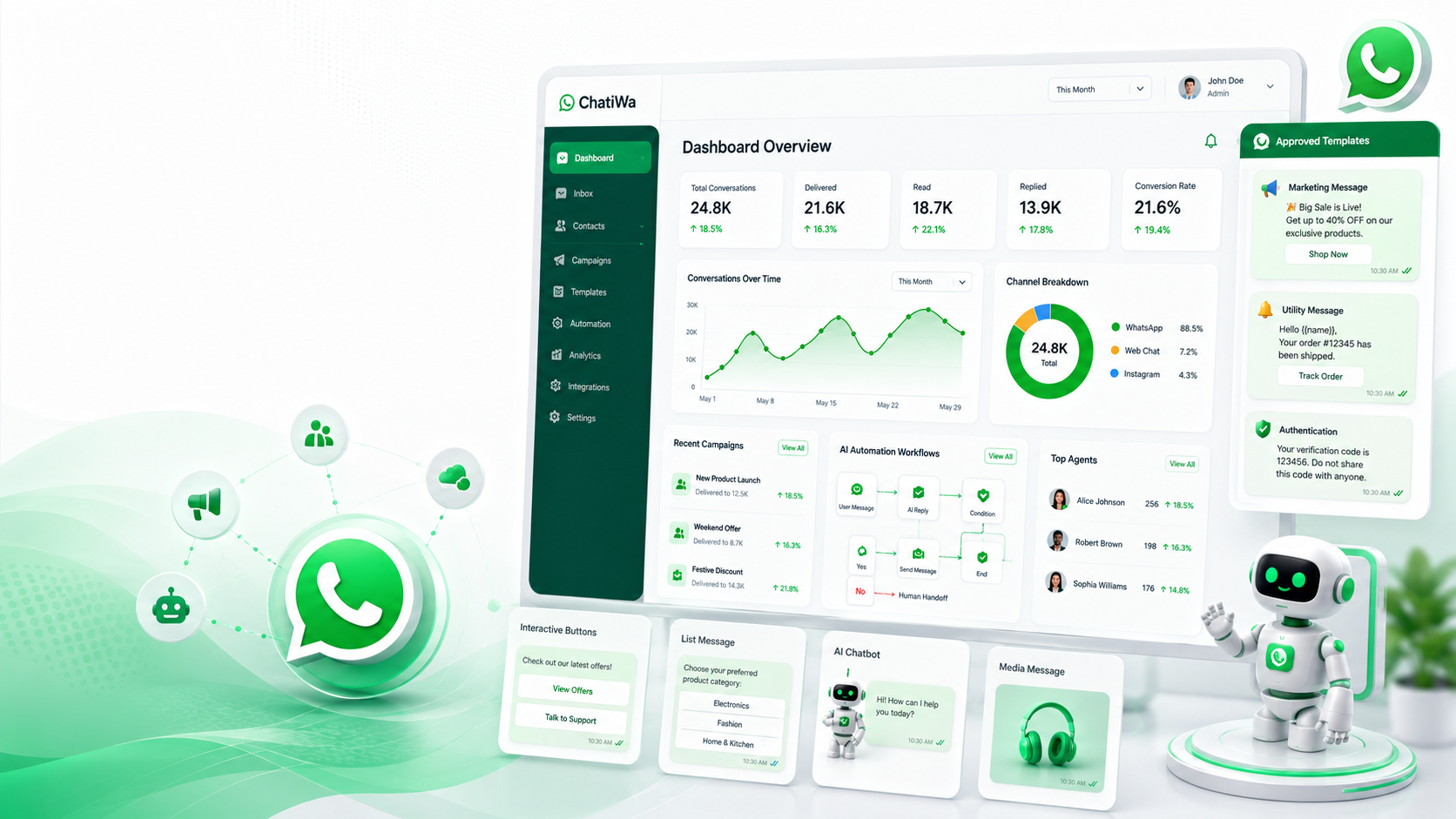
Hi {{1}}, our Summer Sale is now live! Enjoy 25% off selected products until Sunday. Shop now before the offer ends.
Marketing templates are ideal for customer engagement and revenue generation.
Utility Templates
Utility templates provide customers with important information related to transactions or ongoing services.
Examples include:
Order confirmations
Shipping notifications
Invoice reminders
Payment confirmations
Appointment reminders
Subscription renewals
Example:
Hello {{1}}, your order #{{2}} has been shipped and is expected to arrive on {{3}}.
These messages are informational rather than promotional.
Authentication Templates
Authentication templates are used for identity verification.
Common examples include:
One-Time Passwords (OTP)
Login verification
Two-factor authentication
Password reset codes
Example:
Your verification code is {{1}}. It expires in 10 minutes.
These templates are designed for security-related communication.
Personalizing Templates with Variables
One of the biggest advantages of templates is personalization.
Instead of sending identical messages to everyone, you can insert dynamic variables.
For example:
Hi {{1}},
Your order {{2}} has been delivered.
Thank you for shopping with us.
The variables might become:
Hi Rahul,
Your order #54891 has been delivered.
Thank you for shopping with us.
Common variables include:
Customer name
Order ID
Delivery date
Appointment time
Product name
Tracking number
Discount code
Personalized messages typically achieve much higher engagement rates than generic broadcasts.
Interactive Buttons
Templates can include interactive buttons that make it easier for customers to respond.
Popular button types include:
Quick Reply Buttons
Examples:
Yes
No
Reschedule
Contact Support
These reduce typing and encourage faster responses.
Call-to-Action Buttons
Businesses can also add buttons that:
Open a website
Call a phone number
Examples include:
Shop Now
View Order
Track Shipment
Contact Sales
Interactive buttons improve the customer experience and increase click-through rates.
Media Templates
Templates aren't limited to plain text.
Businesses can include:
Images
Videos
PDF documents
Product brochures
Invoices
Catalogs
For example, an insurance company could send a policy document, while an ecommerce business could send a product image along with a promotional offer.
Rich media makes messages more engaging and informative.
Creating Templates in ChatiWa
Managing templates manually can become time-consuming as your business grows.
ChatiWa simplifies the entire process by providing a centralized Template Management section where you can:
View all templates
Check approval status
Synchronize templates from your WhatsApp Business account
Organize templates by category
Search templates quickly
Use templates in campaigns
Monitor usage
Suggested Screenshot
Templates Dashboard
Alt Text
WhatsApp Message Templates management screen inside ChatiWa.
Using Templates in Marketing Campaigns
Once your templates are approved, you can use them in WhatsApp marketing campaigns.
Inside ChatiWa, the workflow is simple:
Select an approved template.
Choose your audience.
Map dynamic variables.
Schedule the campaign.
Review the preview.
Launch the campaign.
Monitor analytics.
This eliminates repetitive manual work and helps maintain consistency across customer communications.
Suggested Screenshot
Campaign Builder
Alt Text
Creating a WhatsApp marketing campaign using approved templates in ChatiWa.
Common Reasons Templates Get Rejected
Although Meta reviews templates quickly, some are rejected due to policy violations or formatting issues.
Common reasons include:
Promotional Language in Utility Templates
Utility templates should provide transactional information, not marketing content.
Missing Variables
Variables should make sense within the sentence and not be used excessively.
Vague Content
Messages like "Hello, we have something exciting for you!" lack sufficient context and are more likely to be rejected.
Policy Violations
Templates must not include misleading claims, prohibited products, or content that violates WhatsApp's Commerce or Business Policies.
Excessive Capitalization or Emojis
Overuse of capital letters, repeated punctuation, or excessive emojis can reduce professionalism and increase the likelihood of rejection.
Taking time to write clear, relevant, and policy-compliant templates significantly improves approval rates.
Best Practices for High-Performing Templates
To maximize engagement and maintain a healthy messaging reputation:
Use clear and concise language.
Personalize messages with variables.
Match the template category to its purpose.
Include a clear call to action.
Avoid unnecessary promotional wording.
Test different versions of marketing messages.
Keep branding consistent.
Review analytics regularly to identify top-performing templates.
Frequently Asked Questions
Do all templates require approval?
Yes. Businesses must submit templates for review before using them to initiate conversations.
Can I edit an approved template?
Significant changes generally require submitting the template for approval again. Minor management actions can be performed through your platform.
Can templates include images or PDFs?
Yes. WhatsApp supports media templates that include images, videos, and documents, depending on the template design.
Can I use templates for promotional campaigns?
Yes. Marketing templates are specifically designed for promotional communication, provided customers have opted in to receive messages.
How does ChatiWa help with template management?
ChatiWa allows you to synchronize, organize, search, and use approved templates directly within campaigns. It also helps you manage variables, monitor template usage, and launch campaigns from a single dashboard.
Conclusion
WhatsApp Message Templates are the foundation of professional communication on the WhatsApp Business API. While they require an approval process, they enable businesses to deliver trusted, personalized, and highly engaging messages for marketing, customer support, order updates, and authentication.
By understanding template categories, using personalization effectively, and following Meta's guidelines, businesses can improve approval rates and create campaigns that customers genuinely appreciate.
With ChatiWa, managing templates becomes much simpler. From synchronizing approved templates and organizing them by category to using them in campaigns and tracking their performance, everything is available through one intuitive interface. Whether you're sending a shipping update, a promotional offer, or an appointment reminder, ChatiWa helps you make the most of WhatsApp Message Templates while keeping your messaging efficient and compliant.